
Most Google Ads reports judge your ads on one thing: the final sale. Google now wants to show you something earlier in the story too.
Google Ads has published a new help page called About Customer Journey Insights. It describes a new card on the Google Ads Overview page that shows how your campaigns move people from "Unaware" to "Act". Search Engine Roundtable reported the help page on 11 November 2026, and PPC News Feed covered it on 18 November 2026.
It is a pilot, so not every account has it yet. But if your agency shows it to you in a Black Friday review, you should know what it really measures.
For ecommerce and digital directors, the lesson is short: Google's new journey card shows your ads moving shoppers towards buying. It is Google's view of its own ads: treat it as a clue, and prove it with your own sales.
What Google launched
Google's help page describes it like this:
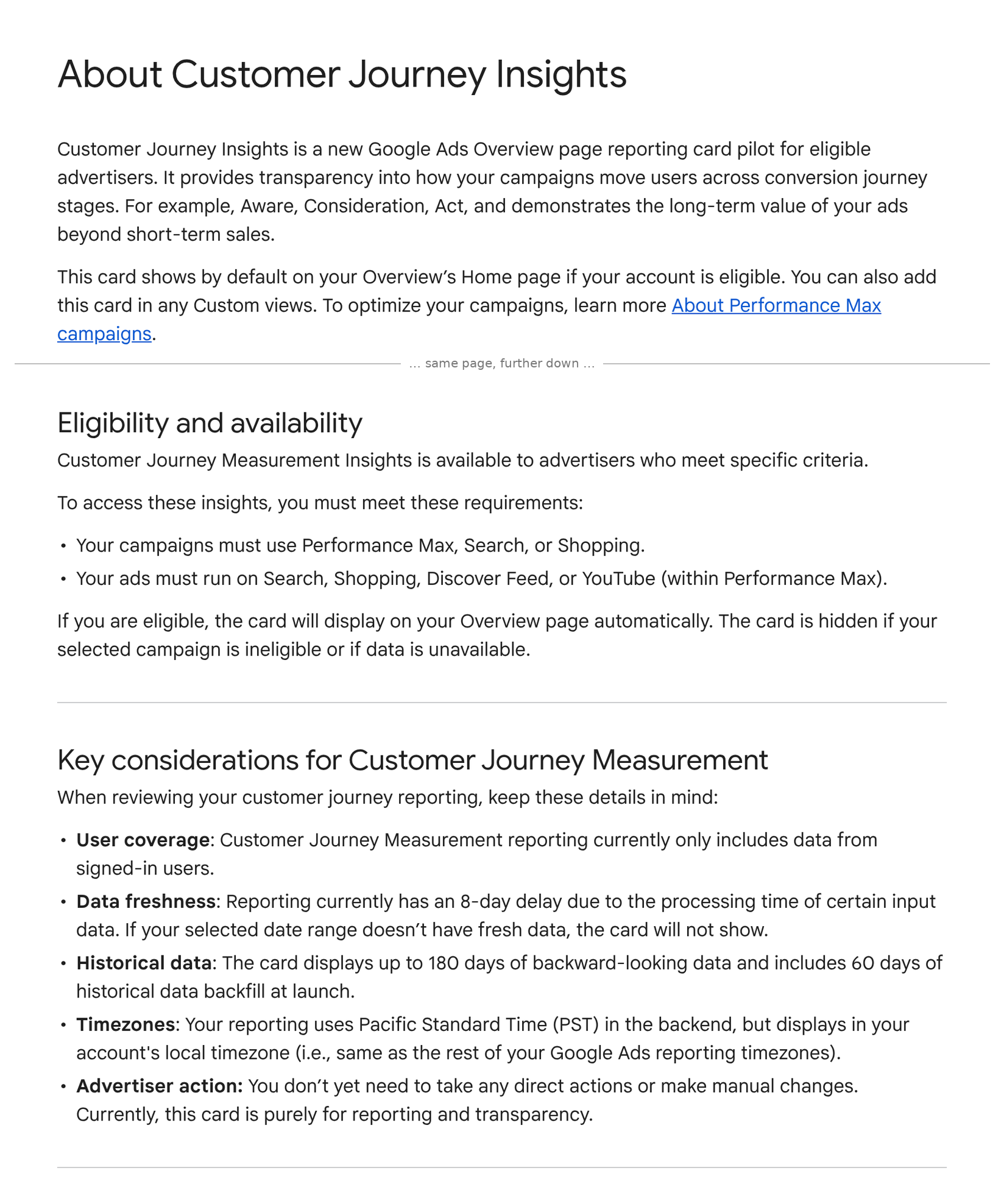
"Customer Journey Insights is a new Google Ads Overview page reporting card pilot for eligible advertisers. It provides transparency into how your campaigns move users across conversion journey stages."
In plain words, here is what Google's page says:
- Four stages. The card sorts people into Unaware, Aware, Consider and Act, using data from the past 30 days. A second tab counts "leading user actions, such as branded searches or adding to cart".
- Who gets it. Performance Max, Search or Shopping campaigns, with ads on Search, Shopping, Discover Feed or YouTube (within Performance Max). If you are eligible, "the card will display on your Overview page automatically".
- Why Google built it. Google says final-sale reporting "doesn't capture the hidden value your ads create earlier in the customer journey". One listed benefit is to "Defend your marketing investments", using the data "to justify and protect your ad spend".
- The limits. It "currently only includes data from signed-in users". It has "an 8-day delay". It shows up to 180 days, with 60 days of history filled in at launch.
- No campaign credit. If someone sees several of your campaigns, Google "currently does not differentiate which campaign is causing the reported stage movement".
- No action needed. Google says "this card is purely for reporting and transparency".
What Google does not say: how many of your customers are signed in, how big the gap is to your real sales, or whether the people who moved stages would have bought anyway.
Sources: Google Ads Help — About Customer Journey Insights; Search Engine Roundtable, Barry Schwartz, 11 November 2026; PPC News Feed, 18 November 2026.
What it means, in plain terms
Think of the card as Google's own map of how shoppers warm up to your brand. It can be a useful clue. But it is drawn by the company that sells you the ads, and it is built to show their value.
Three things matter for your P&L:
- "Act" does not mean "bought". Google's table puts someone in the Act stage if they meet any one rule, and the rules include an add-to-cart, a begin checkout or a "default conversion", not just a purchase. A basket that is never paid for counts the same as an order.
- Branded searches can make the card look good on their own. Google's own example: a person clicks your Search ad or views your YouTube ad, then searches for your brand, and moves from Unaware to Consider. Many of those people may have searched for you anyway, especially in Black Friday week. The card shows movement, not cause.
- The numbers are late and partial. Only signed-in users are counted, and data runs 8 days behind. Black Friday is on 27 November, so you won't see Black Friday week in the card until early December. It cannot guide peak-week budget calls.
The risk is simple: the card is used to justify more spend on YouTube or Performance Max "because it moves people up the journey", without anyone checking real sales. That is a budget decision made on Google's numbers about Google's ads.
We made a similar point about another Google metric in Google Ads Data Strength Uplift: what to check before it goes in the board deck. The fix is the same: test it against your own data.
The director checklist
- Check if you have it. Open the Overview page in Google Ads. If the card is not there, your account or campaign may not be in the pilot, or there is no fresh data yet.
- Read "Act" as "showed buying intent". When the card is shown in a report, ask how many of those people actually placed an order in your shop platform.
- Check what feeds the stages. The stages use your Google Ads conversion actions. Old add-to-basket tags, doubled-up actions or actions left in "Default" can push people into later stages. Tidy them first (see yesterday's guide).
- Don't use it for peak-week decisions. With an 8-day delay, use your own daily sales, margin and stock data in Black Friday week.
- Don't let it settle budget arguments. It can't say which campaign moved anyone. If a campaign's case rests on "journey value", ask for a proper holdout test, such as Google's Conversion Lift, judged on your own orders.
- Take a baseline now. Save a screenshot of the card before Black Friday. In January, compare it with your own new-customer orders and branded search trends. If they don't move together, you know how much weight to give it.
Related reading: Google’s lift test can’t read GA4 imports and Google Ads Conversion Lift now covers Search and Performance Max.
Not sure your Google Ads reports match your real sales?
Run our free tracking scan at audit.taggurus.co.uk for a quick health score on your GA4 and Google Ads tracking.
Want a senior second opinion before Black Friday? Email info@taggurus.co.uk or book a meeting today to discuss.
#38/100 in our series “100 important things to know in the digital world”.
FAQ
Q: What is Customer Journey Insights in Google Ads?
A: A pilot reporting card on the Google Ads Overview page. It shows how many people your campaigns moved between four stages: Unaware, Aware, Consider and Act.
Q: Is it the same as attribution?
A: No. Google says that when someone sees several of your campaigns, it "currently does not differentiate which campaign is causing the reported stage movement". It does not tell you which ads earned a sale.
Q: Why can't we see the card?
A: It is a pilot. Google says the card is hidden if the selected campaign is not eligible or if data is not available. It also runs 8 days behind, so recent date ranges may show nothing.
Q: Does it count all our customers?
A: No. Google says it "currently only includes data from signed-in users". Shoppers who are not signed in to Google are not counted.
Q: Do we need to change anything?
A: Google says no action is needed and the card is "purely for reporting and transparency". The useful work is on your side: clean conversion actions and a clear check against your own orders.
Sources
- https://support.google.com/google-ads/answer/18850198?hl=en (Google Ads Help, “About Customer Journey Insights”, read 20 November 2026: “Customer Journey Insights is a new Google Ads Overview page reporting card pilot for eligible advertisers. It provides transparency into how your campaigns move users across conversion journey stages”; benefits incl. “Defend your marketing investments: Use comprehensive customer journey data to justify and protect your ad spend”; Customer journey tab (Unaware, Aware, Consider, Act) and User actions tab (“leading user actions, such as branded searches or adding to cart”); stage definitions “based on data from the past 30 days”, Act criteria incl. purchase, add-to-cart, begin checkout, default conversion; example of a user moving from Unaware to Consider after a branded search; “our attribution system currently does not differentiate which campaign is causing the reported stage movement”; eligibility: Performance Max, Search or Shopping; key considerations: “currently only includes data from signed-in users”, “an 8-day delay”, up to 180 days with 60 days backfill, PST backend, “this card is purely for reporting and transparency”)
- https://www.seroundtable.com/google-ads-customer-journey-insights-42510.html (Search Engine Roundtable, Barry Schwartz, 11 November 2026: “Google Ads posted a new help document about customer journey insights”)
- https://ppcnewsfeed.com/ppc-news/2026-11/google-ads-introduces-customer-journey-insights/ (PPC News Feed, 18 November 2026: “Google Ads Introduces Customer Journey Insights”, reporting card pilot on the Overview page for eligible advertisers)
