
Many shops never set up Google Tag Manager. They pasted one small piece of code from Google Analytics or Google Ads, called the Google tag, and left it there for years.
That tag is now being moved into a full Google Tag Manager container. A container is the box Tag Manager uses to hold your tracking: the tags, their settings, a version history and a list of who may change them.
On 16 November 2026, Julius Fedorovicius of Analytics Mania posted on LinkedIn that "Google is finalizing its update with the latest batch". PPC Land covered it the same day. If you open Google Analytics today and click "Configure tag settings" on your website data stream, you may land in a Tag Manager container with a GTM- number that you never created.
For ecommerce and digital directors, the lesson is short: your Google tag now lives in a Tag Manager container you may never have opened. Check who owns it and who can publish, and keep it frozen over Black Friday.
What Google changed
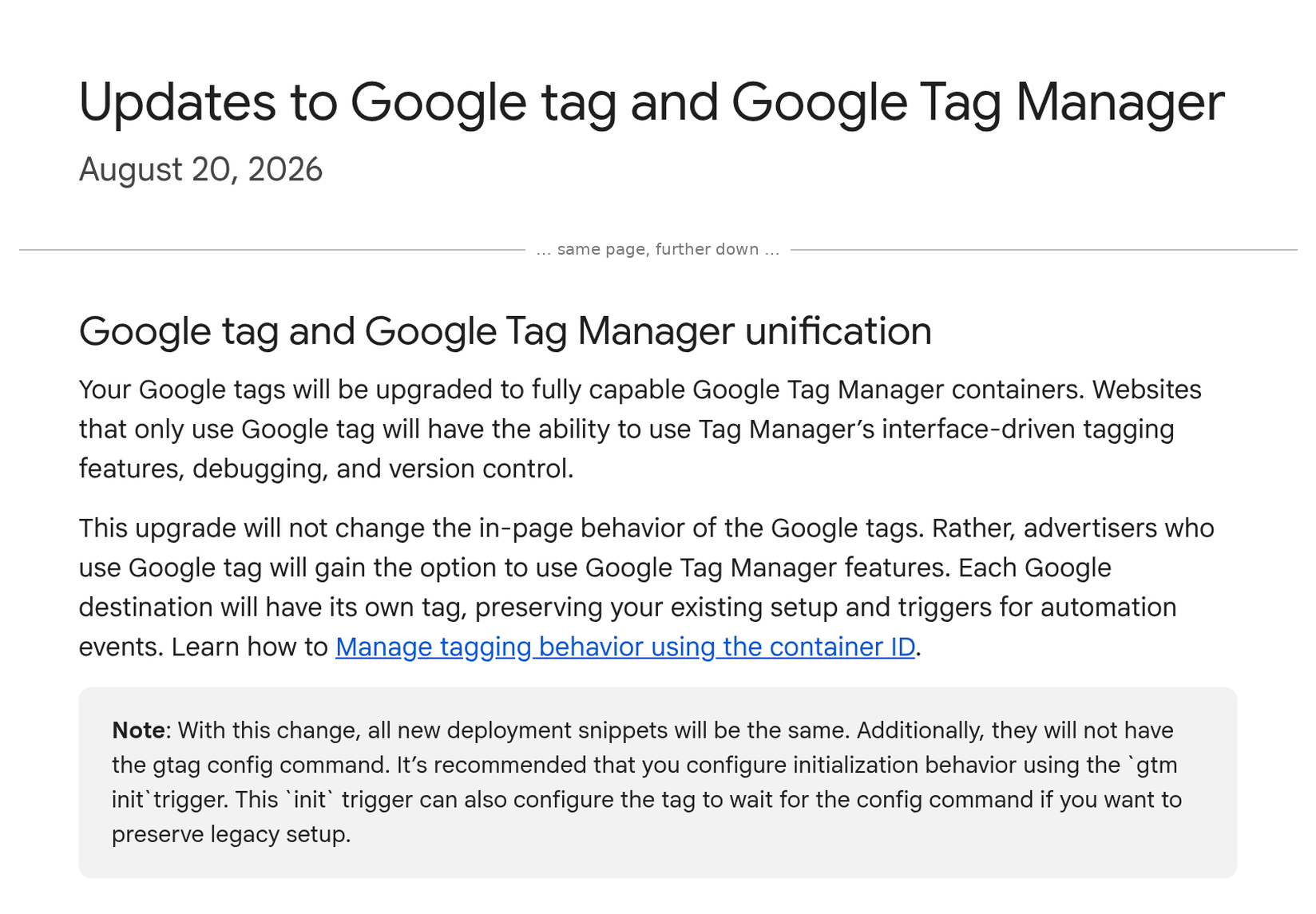
Google's Tag Manager help page "Updates to Google tag and Google Tag Manager" has a section called "Google tag and Google Tag Manager unification". It says:
"Your Google tags will be upgraded to fully capable Google Tag Manager containers."
In plain words, here is what the sources say:
- Your tag is upgraded for you. Fedorovicius reports that "Configure tag settings" in a Google Analytics data stream now takes you "directly to the new GTM container that was created for that stream". PPC Land saw the banner "Your Google tag has been upgraded to a Tag Manager container".
- Nothing on your site changes on its own. Google says: "This upgrade will not change the in-page behavior of the Google tags." Your tracking keeps working as it did.
- Your setup is kept. Google says: "Each Google destination will have its own tag, preserving your existing setup and triggers for automation events." A destination is where the data goes, such as your GA4 property or your Google Ads account.
- New data streams look for Tag Manager first. When you add a new data stream, Fedorovicius reports that Google now checks if a Tag Manager container is already on the site and suggests using that one.
- Some things are not clear yet. PPC Land says Google has given no schedule and no opt-out. It also says no source explains which Tag Manager account holds the new container or who gets access to it.
Sources: Google Tag Manager Help — Updates to Google tag and Google Tag Manager; Julius Fedorovicius on LinkedIn, 16 November 2026; PPC Land, Luis Rijo, 16 November 2026.
What it means, in plain terms
Before, your Google tag had a few settings inside Google Analytics or Google Ads. Now those settings sit in a container with workspaces (drafts), versions and a Publish button. Whoever can press Publish can change what runs on your website.
Three things matter for your P&L:
- A new set of keys to your site. PPC Land puts it plainly: anyone with publish rights on the new container can change what runs on the site. That includes scripts on your checkout. If you don't know who has those rights, you don't know who can change your tracking, or break it. PPC Land also points to a Google note from 9 July 2026: a container loaded with a GTM- number can run any script, not just Google's own tags. PPC Land says it is not yet clear which number an upgraded site loads.
- Two containers can mean double counting. If you already run your own Tag Manager container, the new stream container is a second place where tags could be added. If someone adds a purchase tag there too, the same sale can be counted twice. GA4 revenue goes up, Google Ads thinks it is winning, and your bids follow numbers that are not real.
- Peak is the worst time to tidy up. A new banner and a new container invite people to "clean up" or "finish setting it up". A wrong publish during Black Friday week can lose sales data on your busiest days. You can't get that data back.
Google's own words help here. The upgrade "will not change the in-page behavior of the Google tags". So there is nothing you must publish before Black Friday on 27 November. The safe move is to check, write down and wait.
The director checklist
- Find the container. Ask your team or agency to open Google Analytics, go to Admin, Data streams, your web stream, then "Configure tag settings". Note the GTM- number it opens.
- Find out who owns it. Check which Tag Manager account holds it, and who are the admins. The sources don't say how access is given to an auto-created container, so check it rather than assume it.
- List who can publish. In Tag Manager user management, list every person and agency with Publish rights. Remove anyone who has left. Keep it to one named owner and a backup.
- Freeze changes over peak. Agree that nobody publishes in this container, or your main one, from now until after Cyber Monday unless the named owner signs it off.
- Keep one home for your tags. If you already use your own Tag Manager container, agree that purchase tags live there only. Don't add the same tag to the new stream container.
- Check sales against your own orders. Each day, compare GA4 purchases and Google Ads conversions with orders in your shop platform. A sudden jump with no matching jump in orders is a warning sign.
- Plan the clean-up for January. Decide after peak whether to keep, merge or retire the new container. Do it as a planned project with a preview and a test, not as a quick click.
Related reading: An “Optimize” banner in Tag Manager is a migration, not a click and Every script on your site can do what your customers can do.
Not sure who controls your tags?
Run our free tracking scan at audit.taggurus.co.uk for a quick health score on your GA4 and Google tag setup.
Want a senior second opinion before Black Friday? Email info@taggurus.co.uk or book a meeting today to discuss.
#35/100 in our series “100 important things to know in the digital world”.
FAQ
Q: Will the upgrade change my tracking?
A: Google says it "will not change the in-page behavior of the Google tags". Your existing setup is kept. What changes is where the settings live and who can edit them.
Q: Do I need to do anything before Black Friday?
A: Nothing has to be published. But you should find the new container, check who owns it and who can publish, and agree a change freeze over peak.
Q: We already use Google Tag Manager. Does this affect us?
A: It can. Your Google Analytics stream may now have its own new container as well as yours. Keep your tags in one place so the same sale is not counted twice. For new data streams, Google now suggests using a container that is already on your site.
Q: Who has access to the new container?
A: The sources don't say. PPC Land notes that neither Google nor Fedorovicius says which account holds the container or who gets access. Google's help page says that when containers are linked to Google accounts during its optimisation, "Read" access is given by default and can be changed in user management. Check your own access list.
Q: Can we opt out?
A: PPC Land says Google's page offers no opt-out for the upgrade and gives no schedule.
Sources
- https://support.google.com/tagmanager/answer/17079602?hl=en (Google Tag Manager Help, “Updates to Google tag and Google Tag Manager”, dated 20 August 2026, read 17 November 2026: “Your Google tags will be upgraded to fully capable Google Tag Manager containers”; “This upgrade will not change the in-page behavior of the Google tags”; “Each Google destination will have its own tag, preserving your existing setup and triggers for automation events”; account links made during container optimisation get “Read” access by default, adjustable in user management)
- https://www.linkedin.com/posts/fedorovicius_your-google-tag-has-been-upgraded-to-a-google-share-7528106898680668160-DFdF/ (Julius Fedorovicius, Analytics Mania, LinkedIn, 16 November 2026: “Google is finalizing its update with the latest batch”; “Configure tag settings” opens “the new GTM container that was created for that stream”; new data stream flow checks for an installed GTM container and suggests using it)
- https://ppc.land/google-upgrades-standalone-google-tags-into-tag-manager-containers/ (PPC Land, Luis Rijo, 16 November 2026: banner “Your Google tag has been upgraded to a Tag Manager container”; GTM- container ID; no schedule or opt-out given; unclear who owns the auto-created container and who gets access; anyone with publish rights can change what runs on the site; 9 July 2026 release note: GTM- IDs not restricted, G- and AW- IDs only run Google-provided tags)
